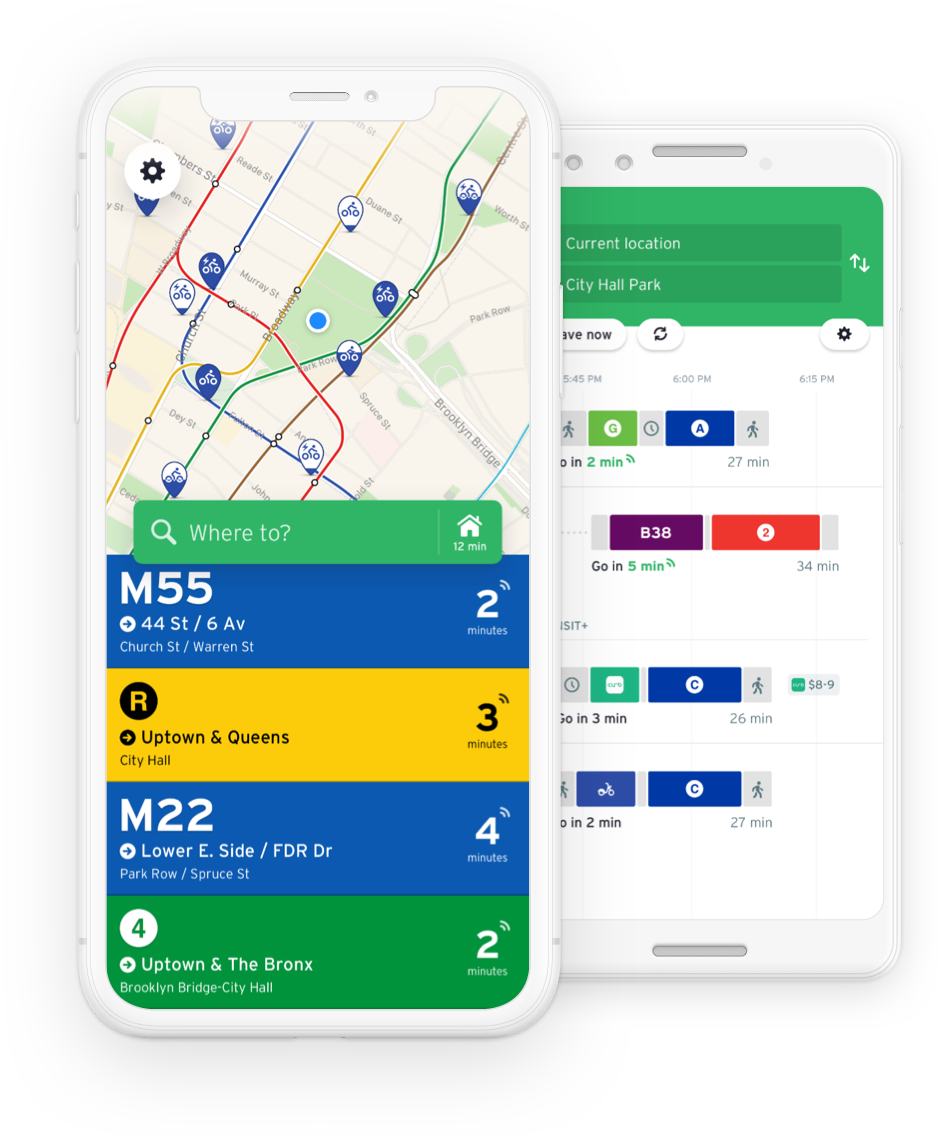
Say Hello to Transit.
Map and location data by Google.
Get Going with Nearby Routes.
Route numbers, colors and icons you’re already familiar with.
Tap and hold for directions to the closest stop.
Switch directions, check it out on a map, add favorites and even browse the schedule for the day.
Big bold digits announcing the time until the next departure.
Leaving a bit later? Tap and hold to see the next few departures.
Heading somewhere later? Change your location and plan your return home.
Planning your day? Pull up the full schedule to see a list of all the departure times for a stop.
Not sure where to get off or where the bus is heading next? Hit the map view and see for yourself.
Real-Time SchedulesGet the most accurate departure times possible with new real-time transit schedules (where available). |
Offline BrowsingNearby Routes works both online and offline so you never break a stride and are always up to date. |
Context AwareNearby Routes remembers the direction you headed last from your current location. |
Travel PacksDownload the bundle for your next travel destination ahead of time and skip the 3G data hit. |
Directions: Follow the Guide.
Just let Transit know where you're headed and our trip planner will map out the quickest way to get there.
It goes without saying, Transit also integrates nicely with the new Maps in iOS 6.
Unfamiliar with the area? Hit the step by step view to get a detailed view of all required steps to reach your destination.
Quickly get the time and transfer details for each suggested route using the itineraries list.
Transit is a free download from the iPhone App Store. By purchasing a subscription, you help us grow the service, lift a few restrictions and unlock cool features.
| Free Account | Premium Account | |
|---|---|---|
| Displayed Routes | 3 closest routes | All nearby routes |
| Connectivity | Online data only | Online and offline data |
| Trip Planner | Best option only | Up to 3 alternatives |
| Price | FREE | 0.99$ for 1 month |